Stop Googling Your Own Business to Check Your Rankings
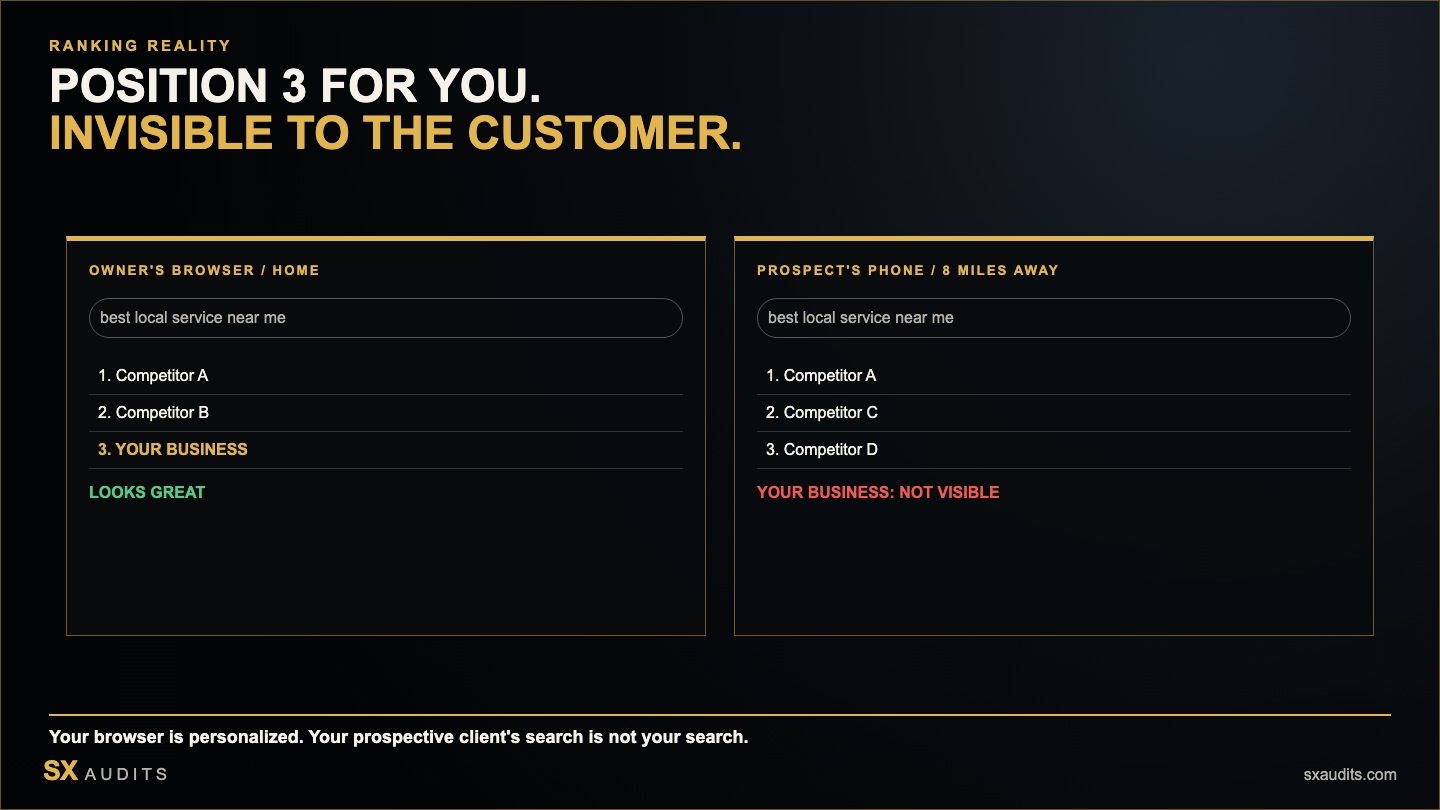
A home services business owner in Denver had a ritual. Every morning, she would open a browser tab and search her company name and primary keywords. She had ranked third for "house cleaning Denver" for almost two years. She was confident in her visibility.
A prospective client in her neighborhood mentioned they had searched for cleaning services and found three other companies but not hers. She mentioned it casually.
The business owner searched again that evening. Third position. Just like always.
What she didn't know: she had been searching the same keywords from the same device on the same Google account for months. Google had learned that this query, from this device, led to this website — and it was showing her results optimized for her. The prospective client, searching from a different neighborhood, on a different device, without any brand familiarity, was seeing entirely different results.
Why Your Own Search Is Not a Reliable Ranking Check
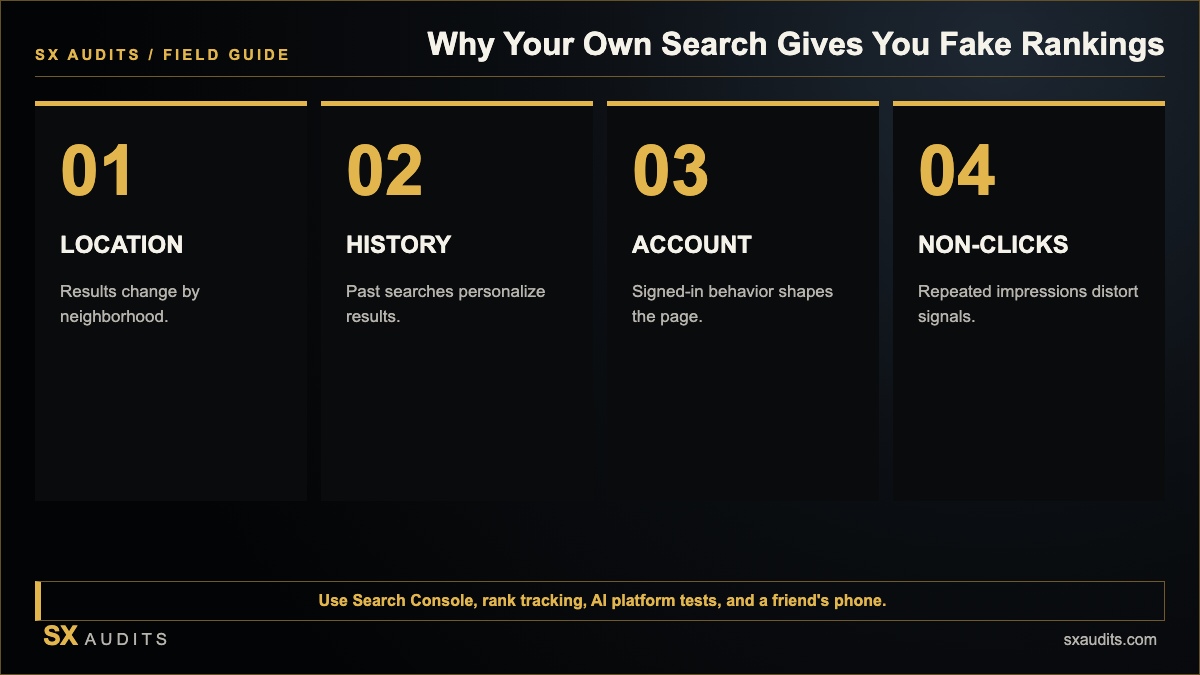
Google personalizes search results based on multiple factors, all of which skew dramatically for business owners checking their own rankings: your location (Google uses GPS and IP address, so your results reflect your specific location — which may not match where your customers are searching from); your search history (Google learns your click patterns, and if you frequently visit your own website after searching, it surfaces your site higher for you specifically); your device and browser history (logged-in Google accounts accumulate significant behavioral data that shapes results); and query intent signals (repeated searches from the same source for the same term train Google's personalization toward surfacing that result for you).
The result is that the business owner who checks their rankings by Googling themselves is usually seeing a best-case scenario. Their prospective clients — in different neighborhoods, on different devices, without behavioral history pointing toward that business — are seeing something different.
Personalization Creates A Systematic Bias Toward Your Own Site
When you search for your own business, you are searching as someone who has already demonstrated strong intent toward that business through months of behavioral signals. Google's personalization algorithm interprets your query differently than it interprets the same query from an unaffiliated searcher. The result it shows you reflects your behavioral history, not the ranking your site achieves for a cold search by a prospective client who has never heard of you. This is not a glitch — it is the personalization system working correctly. It is simply not the signal you need to assess your actual market visibility.
Your Searches May Actually Harm Your Rankings
When you search for your business keywords from your own device and don't click on your result — or search and immediately go to the result without engaging the normal way a prospective client would — you are sending negative behavioral signals. Search engines use click-through rate (CTR) as a ranking signal. A listing that appears but rarely gets clicked signals lower relevance. Business owners who search their keywords and skip past their own listing (because they already know it's there) or who exit quickly (because they were just checking) are inadvertently lowering the CTR signal for their own listing.
Even Incognito Mode Doesn't Give You The Full Picture
Searching in incognito mode removes your personal browser history from the equation — but not your location, IP address, or the broader local signals Google uses to serve results. A business owner in downtown Denver searching in incognito still sees results calibrated to their precise location, which may differ significantly from the results a prospective client in the suburbs sees for the same query. The local 3-pack results in particular are heavily distance-weighted — a business that ranks third at 0.2 miles from the searcher may not appear at all at 3 miles away.
What To Use Instead Of Your Own Searches
Google Search Console provides accurate, de-personalized data about your actual search performance — which queries are surfacing your site, at what average position, and with what click-through rate — across a statistically significant sample of real searches. For local ranking checks, tools like BrightLocal's Local SERP Checker, GeoRanker, or Places Scout allow you to check rankings from specific geographic coordinates rather than from your physical location. For AI visibility, the correct check is not a search but a specific AI platform test — running the 5-query protocol in ChatGPT and Perplexity from fresh sessions to see what those platforms return for your name and category.
The Business You're Competing Against Is Not The Business You See
Every competitor analysis done through manual Google searches from your own device produces distorted results. Businesses in your category that rank highly for unaffiliated searchers in your target market may not appear prominently in your personal search results — and vice versa. The competitive landscape you're assessing when you Google yourself is not the competitive landscape your prospective clients experience. This creates a systematic blind spot that leaves businesses confident in rankings they don't actually hold, unaware of competitors who are consistently out-ranking them in the searches that matter, and investing in maintaining positions that may not exist for their actual market.
What to Check Instead
For organic keyword rankings:
- Google Search Console → Performance → Queries. Shows actual queries, positions, and click-through rates from real searches.
- Ahrefs, Semrush, or Moz's rank tracking tools check rankings from Google's perspective, not yours.
For local 3-pack and Maps rankings:
- BrightLocal Local Search Grid shows your rankings at multiple geographic coordinates within your service area.
- Test from a friend's phone — someone not affiliated with your business, in the area where your prospective clients live.
For AI visibility:
- Open ChatGPT, Perplexity, and Google AI Overviews in a fresh, incognito session.
- Run: "Best [your profession/service] in [your city]?" and "Tell me about [business name]."
- Note where you appear and where your competitors appear.
Want to know exactly where your business stands with AI search?
We run the full diagnostic and deliver a findings report in 72 hours. No discovery call. No commitment.
Book the Audit →Related intelligence · selected for this topic
Framework developer and systems thinker specializing in AI implementation and decision architecture. Creator of the AI Council methodology — a structured multi-model framework used to surface deeper insights in complex decisions. The audit intelligence at Sovereign X Audits is built on these same principles.
aicouncilconductor.com →Find out exactly where your business stands.
We audit your digital infrastructure, AI visibility, and brand presence — and show you exactly what it's costing you.