What to Do When Google Removes Your Business from Search
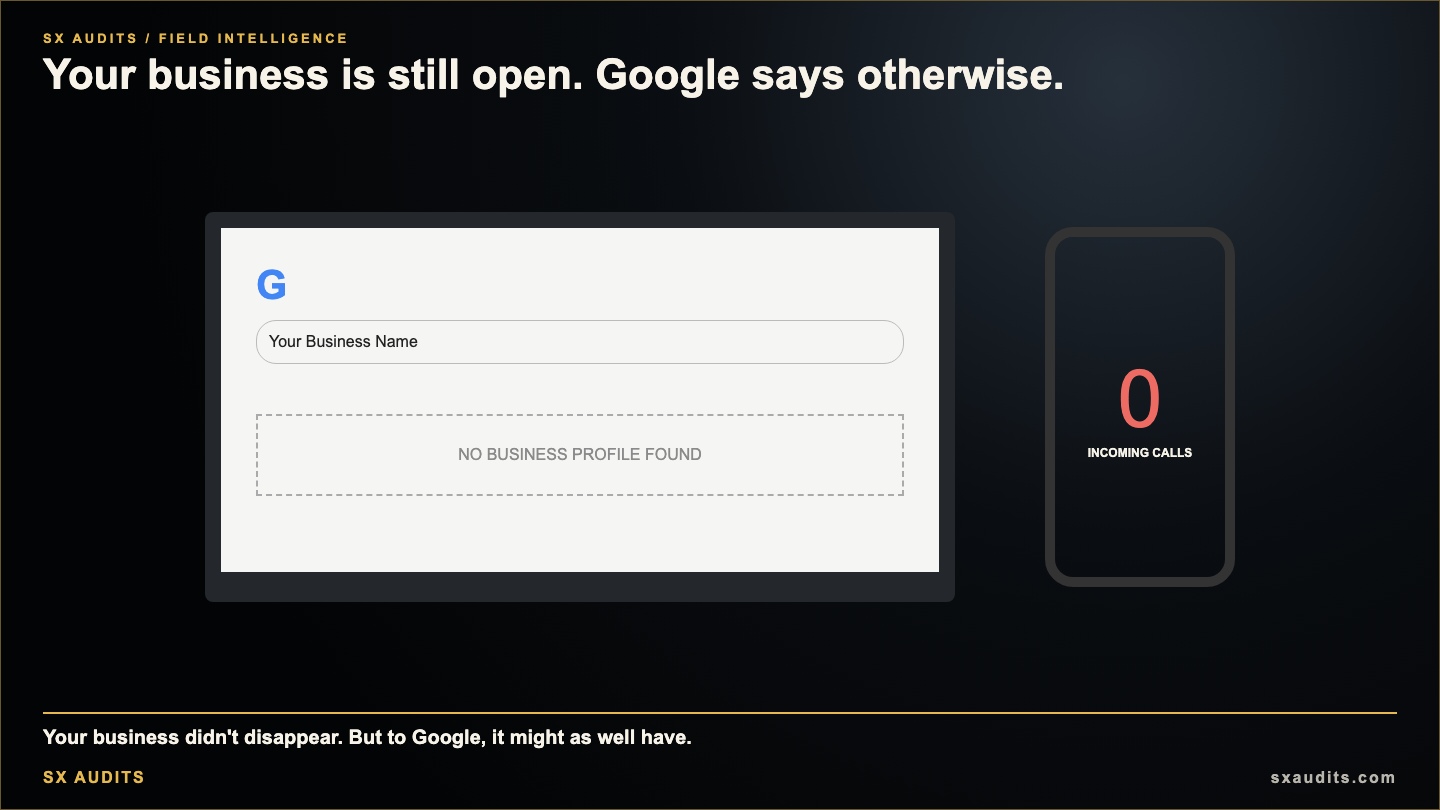
You search your business name and it isn't there. Your Google Business Profile shows "suspended." Your phone has gone quiet. A client tells you they can't find you when they search. Someone who has been a loyal customer for three years asks if you're still open.
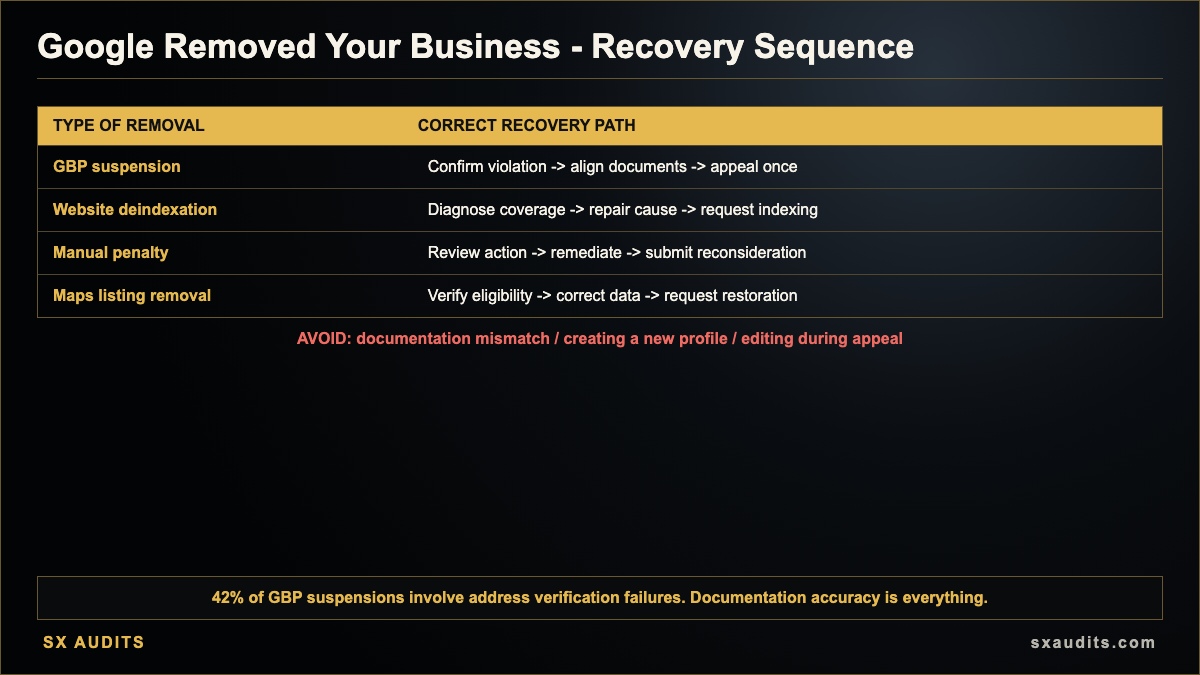
Google has removed your business from search results. This could be a GBP suspension, a website deindexation, a penalty triggered by an algorithm update, or a Maps listing removal. Each requires a different response. All of them require immediate action.
This is not the time to panic. It is the time to diagnose accurately and move through a specific recovery sequence without making it worse.
Step One: Diagnose What Actually Happened
Before you can fix it, you need to know exactly what was removed and why.
GBP Suspension: Your Google Business Profile now says "suspended" when you log in. Your Maps listing is not visible to searchers. Reviews may be hidden. This is distinct from your website — your site can still rank even while your GBP is suspended.
Website Deindexation or Penalty: Your website has dropped significantly in organic rankings, or pages that previously ranked are no longer appearing. This can be caused by a manual action (communicated in Google Search Console) or an algorithmic penalty (not explicitly communicated).
Maps Listing Removal: Your pin has disappeared from Google Maps, but your GBP may not be showing "suspended" — the listing may have been merged, moved, or removed for address-related issues.
Verification Lapse: Your GBP may have lost verified status due to inactivity, a business information change, or a new verification requirement triggered by a platform update.
Opening Google Search Console immediately tells you whether Google has communicated anything about your website. Logging into your GBP manager tells you the status of your profile. Both take under five minutes and determine the entire recovery path.
The Two Categories Of Removal Require Different Responses
Manual actions — communicated through Google Search Console — require identifying the specific violation, resolving it completely, and submitting a reconsideration request. Algorithmic penalties — triggered automatically and not explicitly communicated — require identifying the likely cause (typically content quality, link profile issues, or technical problems), resolving the underlying issues, and waiting for Google's next algorithm evaluation. GBP suspensions require documentation submission through the GBP appeals tool, not through Search Console. Attempting to submit a reconsideration request for a GBP suspension, or vice versa, wastes critical time and potentially triggers additional scrutiny.
Documentation Mismatch Is The Most Common Recovery Failure Point
For GBP suspensions, the most common reason appeals are denied is documentation mismatch. The name and address on submitted documents must exactly match the name and address on the suspended profile — not approximately match, not differ by a suite number or abbreviation. A business named "Smith & Sons Plumbing LLC" on their business registration but "Smith and Sons Plumbing" on their GBP is a mismatch. An address listed as "Suite 100" on the GBP but "Ste. 100" on the utility bill is a mismatch. Among suspended profiles, 42% involve address verification failures and 28% involve business name issues — most of which were minor inconsistencies that accumulated over years.
Do Not Create A New Profile While An Appeal Is Active
Creating a new Google Business Profile for the same business while a suspension appeal is under review is one of the most damaging actions an affected business can take. It signals potential spam behavior to Google's systems — which is likely why the original profile was suspended in the first place — and can result in the new profile being suspended immediately and the original appeal being denied. The correct path is to work the appeal process on the existing profile, document everything, and wait.
Your Website Should Carry The Load During The Recovery Window
A business with a website that has independent organic authority — content that ranks for relevant keywords, backlinks from local directories, and structured schema markup — continues receiving search traffic even when its GBP is suspended. The suspension window, which typically runs 5 days to 5 weeks depending on documentation and appeal volume, is survivable when the website is functioning. Businesses that go dark during this window are almost always those whose website was never optimized to carry independent traffic.
After Reinstatement, The Infrastructure Audit Is Mandatory
A GBP reinstatement is not a return to the prior state. It is an opportunity to rebuild with the vulnerabilities corrected. The businesses that get suspended again within 12 months are those that fixed the immediate issue without auditing the underlying conditions: NAP inconsistency across directories, outdated business information, category mismatches, or review velocity patterns that continue to trigger enforcement signals. The businesses that don't get suspended again after reinstatement have audited every consistency gap, corrected their documentation, and built fallback infrastructure that reduces their dependency on the GBP as their only digital presence.
The Recovery Sequence
If your GBP is suspended:
- Log into business.google.com/manage and confirm the suspension status
- Do not edit the profile or create a new one
- Gather documentation: business registration, business license, tax certificate, or utility bills — at least two, with name and address exactly matching the profile
- Navigate to the GBP appeals tool and submit — you have 60 minutes once initiated to attach documentation
- While appeal is pending: ensure your website, Bing Places, Apple Maps, and Yelp are active and accurate
- If denied: gather additional documentation and submit a second appeal
If your website dropped in rankings:
- Open Google Search Console immediately — check for manual action notifications under Security & Manual Actions
- If a manual action is present: identify the specific violation, resolve it completely, then submit a reconsideration request via Search Console
- If no manual action is present: the cause is algorithmic — check for recent algorithm updates at Search Engine Journal or Search Engine Land, identify likely cause, and begin remediation
- Do not make speculative changes to the site without identifying the specific cause first
Want to know exactly where your business stands with AI search?
We run the full diagnostic and deliver a findings report in 72 hours. No discovery call. No commitment.
Book the Audit →Related intelligence · selected for this topic
Framework developer and systems thinker specializing in AI implementation and decision architecture. Creator of the AI Council methodology — a structured multi-model framework used to surface deeper insights in complex decisions. The audit intelligence at Sovereign X Audits is built on these same principles.
aicouncilconductor.com →Find out exactly where your business stands.
We audit your digital infrastructure, AI visibility, and brand presence — and show you exactly what it's costing you.